
Advertisements
Nearly 70% of students report experiencing at least one disruption in an online class each week. This shows how small habits shape learning on a large scale.
This introduction gives practical guidance on digital classroom etiquette and online learning decorum. The main goal is to offer clear and actionable e-etiquette tips. These help students, educators, and schools improve respect, engagement, and results in virtual settings.
The audience includes K–12 learners, college students, continuing education participants, and corporate trainees across the United States.
The article covers how to set up a productive space and choose the right tools. It also explains how to communicate professionally and dress well for video sessions. It covers time management, privacy protection, and building stronger relationships.
Readers get step-by-step advice on polite virtual classroom manners and specific netiquette for students. It also suggests policies institutions can adopt. The goal is fewer disruptions, better participation, stronger relationships, and improved academic performance through consistent conduct.
Key Takeaways
- Digital classroom etiquette improves focus and reduces interruptions.
- Clear online learning decorum benefits students, teachers, and institutions.
- Virtual classroom manners include tech readiness, respectful communication, and appropriate appearance.
- Following e-etiquette guidelines boosts participation and learning outcomes.
- The article provides a 12-part how-to guide for lasting remote learning etiquette.
Understanding Digital Classroom Etiquette
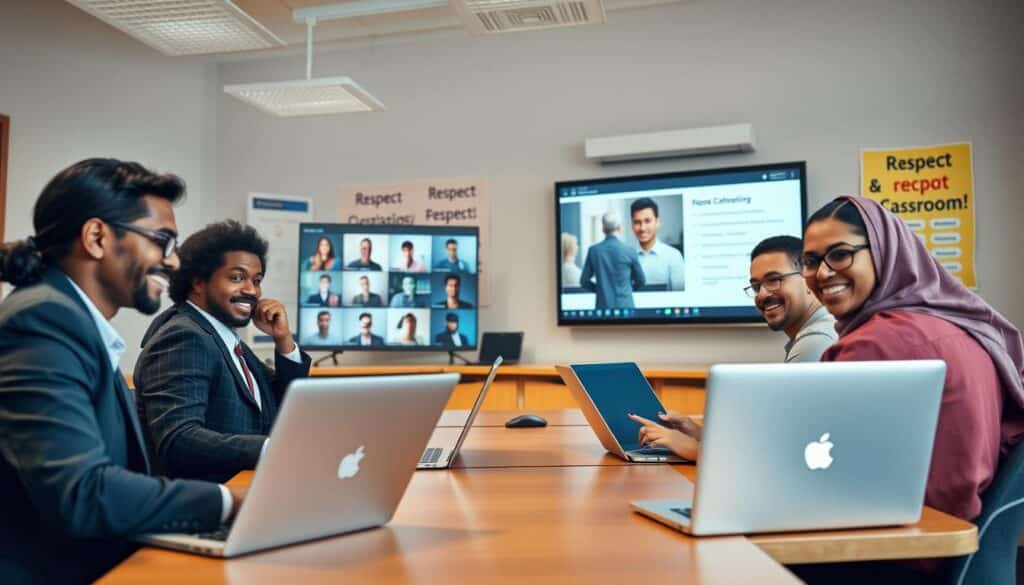
Students and instructors share expectations that shape behavior in virtual classrooms. These norms improve clarity during live sessions and guide written exchanges on platforms like Canvas or Blackboard.
They also help smooth collaboration in Google Workspace or Microsoft 365. Clear rules cut down on distractions and keep everyone on task.
What Is Digital Classroom Etiquette?
Digital classroom etiquette mixes traditional manners with online-specific practices. It includes how learners behave on video calls and post on discussion boards.
Etiquette also covers responding to messages and meeting digital deadlines. Examples include muting when not speaking and using chat for relevant questions.
Students should choose profile names that clearly identify them. Good netiquette means following platform rules and citing sources with tools like Turnitin when needed.
Keeping file names and subject lines clear helps group work go smoothly. These small habits reduce confusion during assessments.
Importance of Good Conduct Online
Online learning decorum matters for more than comfort. It supports accessibility, decreases misunderstandings, and creates safer learning spaces.
When classes follow consistent norms, participation rates rise and disciplinary issues drop. Professional reputation and academic integrity depend on reliable behavior.
Good etiquette affects grades when instructors assess participation, peer reviews, or group projects. Respectful communication preserves trust and keeps discussions productive.
Practical habits include courteous chat behavior and timely replies to emails. Honoring instructor rules teaches students to adapt and builds inclusive online communities.
Setting Up Your Digital Learning Environment
A purposeful workspace makes remote classes easier to follow. It also helps students practice good digital classroom conduct.
Small changes to lighting, background, and seating improve focus. Learners should pick a place that supports concentration and respects household privacy.
Choosing the Right Space
Select a quiet, well-lit area with a neutral background. Natural light works well when placed in front of the screen.
A soft LED lamp reduces eye strain when daylight fades. A bookshelf, plain wall, or vetted virtual background keeps the image tidy.
Ergonomics matter for long sessions. Use a comfortable chair and set the screen height at eye level.
Position the keyboard so shoulders stay relaxed. Noise-canceling headphones from Bose or Sony improve audio clarity when others are nearby.
In shared homes, privacy is key for participation and etiquette. Close doors when possible and inform family members about class times.
Use headphones to limit ambient noise. This helps maintain focus and respect remote learning rules.
Minimizing Distractions
Silence phones and turn on Do Not Disturb modes on iOS and Android. On Windows, enable Focus Assist to block notifications during lessons.
Close unrelated browser tabs and quit apps that send alerts. This stops interruptions and helps maintain focus during class.
Time-blocking with Google Calendar or Microsoft Outlook keeps class and study times visible to household members. Browser extensions like StayFocusd or Freedom limit social media and streaming sites.
Remember accessibility tools to support participation. Turn on captions in Zoom if needed.
Confirm Learning Management System compatibility with screen readers. Request accommodations from campus disability services when necessary.
Punctuality and preparedness reflect good virtual classroom manners. Log in a few minutes early and have materials ready.
Keep login credentials handy and follow any instructor requests for attendance and participation. This shows respect and keeps the class running smoothly.
Tools and Technology for Success
Choosing the right tools helps students and instructors follow digital classroom etiquette. It also keeps sessions productive. A clear tech setup reduces interruptions and supports respectful, efficient conduct.
Essential Applications and Platforms
Synchronous video tools include Zoom, Microsoft Teams, and Google Meet. Zoom and Teams work well for large lectures and breakout rooms.
Google Meet suits quick faculty check-ins and small seminars.
Learning management systems include Canvas, Blackboard, and Moodle. These platforms host assignments, grades, and course materials.
Students submit work and instructors post announcements there.
For file sharing and collaboration, Google Drive and OneDrive keep documents synced. Google Docs, Miro, and Padlet enable real-time group work and brainstorming.
Slack and Microsoft Teams channels handle quick messages and project coordination.
Using each tool for its strength is part of good e-etiquette. Post resources to the LMS, use video tools for live interaction, and reserve chat apps for updates and group planning.
Troubleshooting Technical Issues
Start troubleshooting before class to avoid disruptions. Check internet speed with a tool such as Speedtest by Ookla.
If speed is low, restart the router. Consider switching from Wi-Fi to wired Ethernet.
Close unnecessary apps that use bandwidth. Update browsers and apps to the latest versions.
Test audio and video in the platform’s settings before joining a session.
Keep alternative access ready. A phone hotspot or mobile app can restore connection quickly.
Save IT support and campus help desk contact details for emergencies.
Preventive habits reduce breakdowns and support shared expectations about digital classroom conduct. Keep devices charged, enable automatic updates, and run antivirus tools like Windows Defender or Norton.
Practice screen-sharing and breakout room features ahead of time. Simple rehearsals lower stress and help everyone follow e-etiquette during live sessions.
Communicating Effectively in Virtual Classes
Clear communication shapes a productive online learning space. Students who practice thoughtful speech and text boost engagement and reduce confusion.
They also model strong virtual classroom manners. Instructors set expectations, but peers share responsibility for keeping discussions civil and focused.
The Role of Active Listening
Active listening means giving full attention to the speaker and minimizing multitasking. It helps when students keep video on and nod or use reaction buttons.
Avoid checking email during lectures to stay focused. Note-taking supports retention and signals engagement.
Paraphrasing or summarizing shows understanding and invites correction. Asking short, clarifying questions at set times prevents interruptions and keeps the flow smooth.
Using platform tools like “raise hand” or chat reactions provides cues that sustain dialogue. These practices reflect netiquette and strengthen learning decorum.
Being Respectful in Chats and Discussions
Chat etiquette starts with staying on topic and keeping messages concise. Avoid typing in ALL CAPS and limit emoji use.
Choose a tone that remains professional and welcoming. Follow turn-taking norms set by the instructor when many want to speak.
Wait for a pause or use thread features in text discussions to avoid derailing the main conversation. Cite readings or lecture timestamps to ground comments.
Constructive responses foster learning. Critique ideas, not people. Use inclusive language and avoid slang or jokes that might be misunderstood.
If a message seems inappropriate, report it through platform tools or institution procedures instead of responding in kind.
Moderators or instructors may post rules for chat use, Q&A order, and conduct. Observing these rules supports respect and maintains decorum.
Practicing these behaviors builds community trust and reinforces shared virtual classroom manners.
Dress Code for Virtual Classes
A clear dress code helps students show respect and stay focused in online classes.
This guide offers practical choices and camera tips to support digital classroom etiquette and remote learning manners.
Dressing Professionally for Online Learning
Students should wear business casual or school-appropriate clothing based on course expectations. Solid colors look best on camera.
Busy patterns and large logos can distract classmates during presentations.
For formal presentations or interview practice, a collared shirt or blouse shows readiness.
Many schools publish rules on proper virtual attire.
Keep a spare blazer, sweater, or simple accessories nearby for last-minute calls.
This habit helps maintain good virtual classroom manners during live sessions.
Impact of Your Appearance on Focus
Dressing purposely improves posture, mindset, and confidence.
Students who dress with intent usually focus and participate better in class.
Camera setup matters as much as clothing.
Place the camera at eye level with modest headroom and a tidy background.
These steps reduce visual distractions and keep attention on the lesson.
Cultural norms and accessibility are important too.
Culturally appropriate clothing, adaptive wear, and captioning create a respectful, inclusive environment.
Practical Tips
- Keep a grooming kit or spare shirt near your workspace for unexpected calls.
- Use virtual backgrounds sparingly; blurred backgrounds distract less.
- Choose clothing that is modest and fits classroom norms.
- Test camera framing and lighting before meetings to avoid problems.
| Situation | Recommended Attire | Camera Tips |
|---|---|---|
| Regular lecture | Casual neat clothing; solid colors | Eye-level camera; neutral background |
| Presentation or interview practice | Business casual; collared shirt or blouse | Good lighting; professional background or soft blur |
| Culturally sensitive sessions | Culturally appropriate attire that respects norms | Ensure visibility of face; avoid distracting overlays |
| Accessibility accommodations | Adaptive clothing or preferred garments | Confirm captions and clear audio; minimal background movement |
Participation and Engagement
Active participation makes online classes productive. Clear signals and smart prompts help keep discussions going.
Students and instructors share responsibility for strong participation. Good digital classroom etiquette helps keep focus and fairness in remote sessions.
Raising Your Hand Virtually
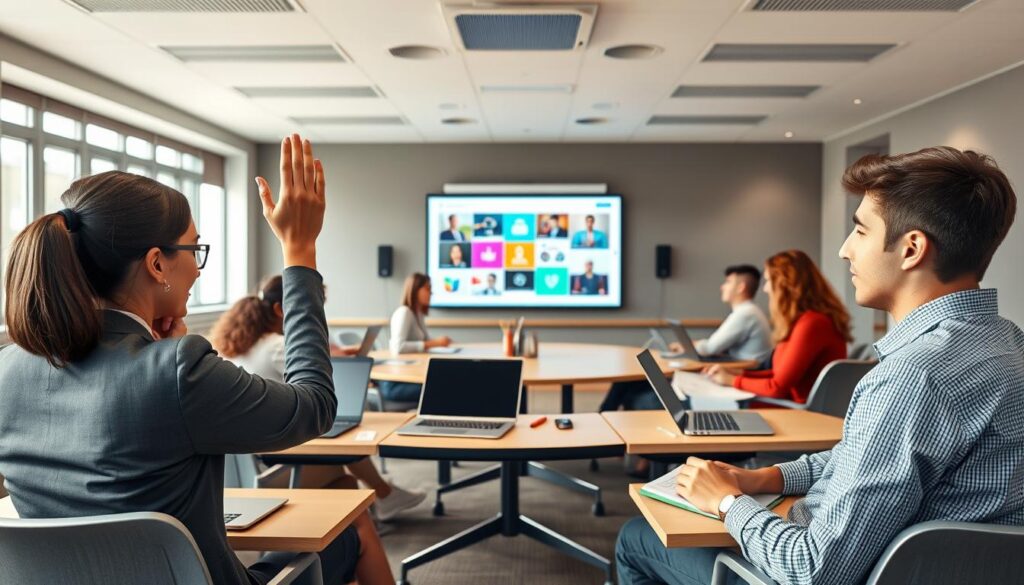
Platforms offer ways to signal you want to speak. Zoom has a Raise Hand button on the toolbar.
Microsoft Teams shows a Raise Hand icon next to a participant’s name. Chat and microphone icons also give cues for brief input.
Students should wait for acknowledgement before speaking. Only unmute when invited to talk.
Start by saying your name. Then ask or answer briefly to keep sessions organized and efficient.
Encouraging Class Interaction
Prepare questions before class to boost dialogue. Small-group breaks using breakout rooms help deepen conversations.
Polls and quizzes, like Poll Everywhere or Kahoot, raise responses and keep attention high.
Instructors can invite quieter students to join in by using prompts and rotating group roles.
Assigning roles in discussions gives everyone a fair chance to speak. Volunteer chances for presentations or peer reviews raise investment in learning.
Teachers should set clear engagement expectations. Icebreakers, rubrics, and participation grades encourage involvement and explain virtual classroom manners.
These strategies help build good online learning behavior across the class.
Keeping Your Camera On or Off
Decisions about video and audio set the tone for a respectful virtual classroom. Clear expectations help balance visibility with privacy. Following camera etiquette supports focus and fairness.
The guidance below helps teams create a welcoming learning space that honors individual needs.
Benefits of Being Visible
Being on camera increases social presence and makes interactions feel more personal. Visual cues help instructors see if students understand. They also provide faster, more accurate feedback.
Research shows visual engagement links face-to-face interaction with better retention and classroom belonging.
Visibility fosters accountability during group work. Peers stay engaged when they see each other. Institutions should explain when cameras improve learning and when exceptions apply.
Exceptions include bandwidth, privacy, or disability reasons. Offering camera-off options follows cyberclassroom courtesy and fair e-etiquette guidelines.
When to Mute and Unmute
Good muting keeps background noise from disrupting lessons. Students should mute when not speaking and unmute only to contribute.
Short mute-unmute cycles reduce interruptions and keep the session flowing smoothly.
Use platform shortcuts to toggle mute quickly. In group activities, assign a speaker to avoid crosstalk. Test microphones ahead and use push-to-talk or headphones to reduce echo.
These practices show cyberclassroom courtesy and follow e-etiquette guidelines.
Respect and flexibility matter most. Instructors should share their camera and microphone expectations and offer accommodations.
Clear policies that balance community needs with individual circumstances create a respectful, effective digital learning environment.
Cyber Etiquette: Dos and Don’ts
Clear rules help students and instructors keep an online space safe and respectful. Good cyberclassroom courtesy and strong digital conduct make learning easier. The short guidelines below cover privacy, conflict resolution, and professional behavior.
Respecting Others’ Privacy
Never record sessions without clear permission from everyone involved. Institutions follow FERPA and other privacy rules to protect student data and recordings.
Do not share private chat transcripts, names, or emails outside the course. Use secure file-sharing tools approved by the school for assignments and group work.
Adjust platform settings to control who can record or download materials. Always ask for consent before taking screenshots and state why you want permission.
Unauthorized sharing can lead to legal and ethical problems. Treat classmates’ comments as confidential when asked to do so.
Handling Conflict Online
Address problems privately first. Send a direct message or an email with neutral language and mention course policies if needed.
Keep your tone calm and factual. Avoid public replies that might cause tension or start flame wars.
Document incidents with timestamps and screenshots if necessary. Use institutional channels to report harassment or suspected academic misconduct.
If resolution stalls, involve the instructor or mediator. Choose restorative methods and constructive feedback instead of public criticism.
Safety and Professionalism
Do not share unverified claims. Check credible sources before posting links or data in discussions.
Use netiquette as a daily checklist: be polite, stay on topic, and respect different views.
Keep consistent digital conduct to build trust and create a productive learning environment for everyone.
Time Management in a Digital Classroom
The shift to online courses calls for a clear plan for time. Good routines help students meet deadlines and join classes on time. They also show respect for peers and instructors.
Strong time habits are a core part of remote learning etiquette. These habits support steady participation.
Staying on Schedule
Set consistent login times and review the syllabus in the LMS at the start of each week. Sync deadlines to Google Calendar or Outlook and enable reminders on mobile devices. This helps avoid missed submissions.
Use task managers such as Todoist or Trello to list assignments and check progress.
Batch similar tasks to save time. Prioritize work with an Eisenhower-style list. Use the Pomodoro method for focused study blocks.
When group projects arise, place meeting times in shared calendars. Keep a live document to track contributions across time zones.
Balancing Work and Breaks
Schedule short breaks to reduce screen strain and improve focus. Follow the 20-20-20 rule: every 20 minutes, look 20 feet away for 20 seconds.
Take longer breaks between sessions. Use micro-break apps or brief stretch routines to refresh.
Set clear boundaries between study time and personal time to prevent burnout. Let teammates know availability windows when coordinating meetings.
Practicing reliable time habits reflects online learning decorum. It also reinforces trustworthy communication.
Building Relationships with Instructors and Peers
Strong connections in online classes grow from steady, respectful interaction. Students who practice good digital classroom conduct build trust with instructors and peers. Small gestures like timely messages and clear introductions set a professional tone and ease collaboration.
Networking in a virtual setting means using available tools with intention. Attend virtual office hours at places like Harvard Extension or community colleges to show interest. Post a concise bio on discussion boards that highlights your skills and goals.
Follow up after meetings with short, polite messages referencing the conversation. Use school-approved platforms for deeper connections. LinkedIn works well for career-minded students wanting a professional presence.
Keep profile pictures and headlines clear and consistent with academic communication. Practice netiquette when emailing faculty: use a subject line, brief context, and polite closing.
Group projects benefit from regular check-ins and shared records. Set recurring meeting times and record decisions in the LMS so all stay aligned. Apply virtual classroom manners by muting when not speaking and acknowledging contributions.
Giving and receiving feedback builds skills and rapport. Offer specific comments tied to rubrics and examples. Ask clarifying questions when feedback is unclear.
Instructors at institutions like MIT and Stanford appreciate concise requests referencing assignment criteria. Use LMS feedback tools to track revisions and progress. Request short meetings for complex concerns.
Keep feedback exchanges respectful and focused on improvement, not personality. Long-term relationship-building helps in mentoring and references. Maintain a log of achievements, emails, and project roles for future use.
Reach out to instructors for internship guidance or recommendation letters well before deadlines.
Summary of practical steps follows:
- Introduce yourself on discussion boards with a brief, professional bio.
- Attend virtual office hours and follow up with concise messages.
- Use institution-approved platforms like LinkedIn for networking.
- Give rubric-based, respectful peer feedback and request clarification when needed.
- Keep records of communications and accomplishments for future reference.
| Action | Why it matters | Best practice |
|---|---|---|
| Attend virtual office hours | Builds direct rapport with instructors | Prepare questions, arrive on time, follow up by email |
| Post concise bios | Helps peers identify collaboration fit | Share role, goals, and one skill; keep it under 50 words |
| Use LinkedIn professionally | Extends academic ties into career networks | Keep headline clear, add course projects, connect politely |
| Give rubric-based feedback | Improves work quality and learning outcomes | Reference rubric items, offer examples, stay constructive |
| Track communications | Supports requests for references and mentorship | Save emails and project summaries in one folder |
Conclusion: Making the Most of Your Digital Classroom Experience
To finish, learners should see digital classroom etiquette as habits that improve learning and professional behavior. They should practice clear online decorum and set up a focused workspace. Learning core tools like Zoom and Google Workspace is key.
Mastering basic troubleshooting and following e-etiquette prevents small tech problems from stopping a session. Respectful communication and appropriate dress build trust with instructors and peers. Active participation and careful camera and microphone use also improve interactions.
Protecting privacy, handling conflicts calmly, and managing time well show strong cyberclassroom courtesy. These actions help make sessions run smoothly and respect everyone’s time.
Ongoing improvement is important. Learners should seek feedback and adapt to new platforms. Reviewing institutional IT pages or EDUCAUSE resources helps find best practices.
Using help centers like Zoom Support or the Google Workspace Learning Center improves skills and keeps habits fresh. Digital classroom etiquette and cyberclassroom courtesy form a growing mindset. Treating these as skills to refine supports academic success, professional growth, and respectful online communities.