

Advertisements
Nearly 60% of Americans using money apps say these apps helped them save more in a year.
This shows how powerful digital budgeting tools can be for everyday financial planning.
This guide focuses on online budgeting software and financial planning apps for U.S. users.
It covers free and paid options, desktop and mobile solutions, and practical steps for beginners.
Readers will learn what personal finance tools do and how to compare options like Mint, YNAB, and Personal Capital.
The article highlights usability, security, bank integration, and real-world setup tips.
Key Takeaways
- Digital budgeting tools can improve savings and simplify tracking.
- Both free and paid money management apps offer valuable features.
- Budgeting apps for beginners should prioritize ease of use and bank syncing.
- Top personal finance tools to consider include Mint, YNAB, and Personal Capital.
- This guide walks through selection, setup, and common pitfalls to avoid.
What Are Digital Budgeting Tools?
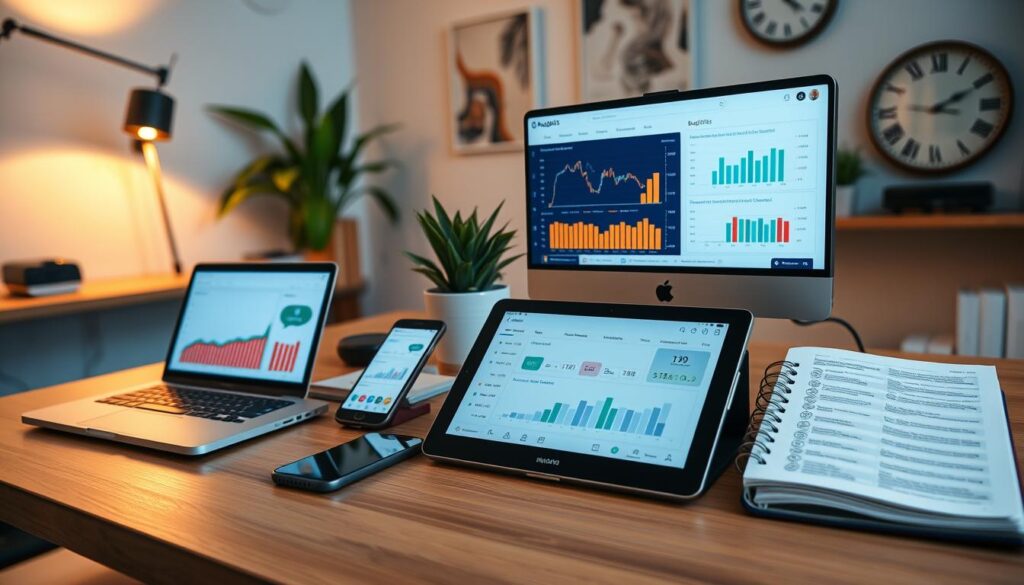
Digital budgeting tools help people manage money with less guesswork. They come as web platforms and mobile apps. These tools track income, expenses, savings, and progress toward goals.
Users trade spreadsheets for automated feeds, visual charts, and timely alerts. These features make choosing how to spend money easier.
Definition and Purpose
These applications include online budgeting software and standalone budget tracking apps. They import transactions from banks and cards to categorize spending automatically.
They provide real-time views of cash flow and net worth. People use these tools to set targets like building an emergency fund or saving for a home.
Security includes bank-level encryption, two-factor authentication, and read-only access. These protect data while enabling constant tracking and visual reports.
Key Features to Look For
Look for automatic transaction imports and smart categorization to reduce manual entry. A flexible budget creator supports methods like zero-based budgeting or envelope systems. This helps assign money to priorities effectively.
Goal-setting features and progress trackers show savings and debt reduction paths clearly. Dashboards with customizable reports reveal spending trends, cash flow, and net worth at a glance.
Alerts warn about overspending, large purchases, upcoming bills, and low balances. Integration with banks, investments, and billers provides a complete view. CSV import and export simplify backups and tax prep.
Pricing varies from free and freemium to subscription plans. Cross-platform sync keeps views aligned on web, iOS, and Android devices. Review privacy policies and third-party connectors like Plaid or Yodlee when choosing tools.
Benefits of Using Digital Budgeting Tools
Many people use digital budgeting tools to gain clearer insight and save time. These solutions combine bank data, spending categories, and account balances in one place.
Users get up-to-date cash positions and avoid guesswork when planning their monthly expenses.

Enhanced Accuracy
Automatic transaction imports reduce human error compared to manual entry. When a purchase posts, the app tags it as groceries, utilities, or transportation for reliable totals.
Reconciliation features flag duplicates and mismatched amounts to keep balances accurate. This makes net worth calculations and cash-flow views more dependable.
Investment tracking modules in apps like Personal Capital update portfolio values and show projected retirement outcomes. Real-time quotes ensure planning uses current data, not old statements.
Time-Saving Automation
Scheduled syncing with banks eliminates the need to download statements or update spreadsheets by hand. Recurring transaction rules and templates speed up routine setup.
Automated bill reminders and scheduled transfers help prevent late fees and missed payments. For users with many accounts, a single dashboard cuts time spent logging into portals.
Reporting automation generates monthly summaries, trend charts, and exportable statements for taxes or reviews. Budget tracking apps offer frameworks like 50/30/20 that help beginners get started fast.
Popular Digital Budgeting Tools Available
Consumers have many personal finance tools to choose from. Some suit simple budgeting, while others offer full wealth planning. The best app depends on your goals, budget, and preference for automation or manual control.
Mint
Mint is a free app by Intuit. It links bank, credit card, loan, and investment accounts. It offers automatic categorization, custom budgets, bill reminders, credit score monitoring, and alerts.
Mint has an easy onboarding process and strong mobile and web interfaces. The app is ad-supported, so users see product suggestions. Review privacy and data settings before using it.
YNAB (You Need A Budget)
YNAB uses a zero-based budgeting method. It encourages users to assign every dollar a job. The app is subscription-based and helps with behavior change through workshops, goals, and reports.
YNAB allows bank sync or manual entry. It suits people who want structured guidance. Users must learn a new system, which has a steeper learning curve.
Personal Capital
Personal Capital combines budgeting with investment and retirement planning. Key features include net worth tracking, cash flow analysis, an investment fee tool, and a retirement planner.
This tool is great for users seeking deep analytics and wealth insights. Advisory services exist for high-net-worth clients and may have fees. Budgeting features are less detailed than dedicated budgeting apps.
The table below clearly compares these tools by cost, key features, and best users.
| App | Cost | Top Features | Best For |
|---|---|---|---|
| Mint | Free (ad-supported) | Automatic categorization, bill reminders, credit score checks | Beginners seeking free digital budgeting tools |
| YNAB | Monthly or annual subscription | Zero-based budgeting, goal tracking, workshops | Users wanting structured budgeting and behavioral change |
| Personal Capital | Free tools; advisory fees for wealth management | Net worth tracking, investment fee analyzer, retirement planner | Individuals focused on investments and long-term planning |
How Digital Budgeting Tools Work
Digital budgeting tools simplify money management by turning bank data into clear, useful visuals. They guide users through setup and show real-time balances.
These tools also display spending trends so households and freelancers can quickly spot issues.
User-Friendly Interfaces
Most budgeting software opens to a dashboard showing balances, upcoming bills, and goal progress. Visuals like pie charts and bar graphs help users see patterns easily.
Users can customize views by date range, account, or category. Onboarding flows help connect accounts, set budgets, and name targets.
Tutorials and help centers reduce difficulties for new users.
Data Synchronization
Budget apps use secure aggregators or bank APIs to fetch transactions. Syncing can happen near real-time or daily with automatic matching and categorizing.
Reconciliation tools let users fix miscategorized merchants and manage pending items. Expense tools protect data using encryption, multi-factor authentication, and read-only connections.
Users should check for sync errors and reconnect accounts when prompted to keep reports accurate.
Factors to Consider When Choosing a Tool
Choosing the right digital budgeting tools means balancing cost, connectivity, and long-term value.
Users should compare subscription plans against features. They must confirm account integrations and check security practices before deciding.
A clear comparison helps when choosing among budgeting tools comparison, personal finance tools, and money management apps.
Cost and Subscription Models
Evaluate free, freemium, and subscription prices carefully. Mint is free but shows ads. YNAB charges a subscription fee.
Personal Capital offers free tracking but charges for advisory services. Trial periods let users test premium features like advanced reports or advisor access.
Look for family or multi-user pricing if accounts share access. Consider if a paid app would save or earn money.
Check refund policies and cancellation terms before buying an annual plan.
Integration with Bank Accounts
Make sure the tool works with your main banks, credit unions, and brokerages.
Some small institutions don’t connect well. Check which aggregator the tool uses, like Plaid or Yodlee, to judge syncing reliability.
Look for support for credit cards, loans, mortgages, and investments for a full financial view. Privacy-focused users should see if apps store credentials or use tokenized access.
Multi-currency support matters for travelers or those with foreign bank accounts.
- Compare connectors and supported institutions when doing a budgeting tools comparison.
- Match features of digital budgeting tools to the user’s account mix and security needs.
- Balance upfront cost against long-term benefits from personal finance tools and money management apps.
How to Get Started with Digital Budgeting
Getting started with digital budgeting tools begins with a clear plan and a short list of tasks. A simple setup avoids confusion and speeds use of financial planning apps.
The steps below guide users through goal-setting and account connections. This makes budgeting apps for beginners feel manageable from day one.
Setting Financial Goals
Begin by naming short-term, medium-term, and long-term goals. Short-term items might include a monthly emergency buffer or a utility bill.
Medium-term goals could be a vacation or a down payment for a car. Long-term goals often involve retirement or a home down payment.
Translate each goal into a dollar amount and deadline. Use the goal feature in financial apps to track progress and see suggested contributions.
Prioritize high-impact targets such as a 3–6 month emergency fund and paying high-interest debt first.
Apply SMART criteria: make every goal specific, measurable, achievable, relevant, and time-bound. Many budgeting apps include templates that simplify this step.
Connecting Your Accounts
Collect login credentials for banks, credit cards, loans, and investment accounts before onboarding. Most expense tools use secure aggregation connections.
Follow the app’s authentication prompts and enable multi-factor authentication when available.
After syncing accounts, review transaction categories and set rules for recurring entries. Reconcile opening balances to start with accuracy.
If you prefer not to link accounts, manual CSV import or entry remains an option, though it takes more time.
Finish by setting notifications, bill reminders, and scheduled sync intervals. Regular updates keep data fresh and help digital budgeting tools deliver real-time insights.
Tips for Effective Budgeting Using Digital Tools
Digital budgeting tools can simplify money management when used with a clear routine. Small habits keep budgets accurate and usable.
The following practical tips help users get the most from budget tracking apps, money management apps, and other personal finance tools.
Regular Updates and Maintenance
Perform weekly or biweekly reviews to categorize transactions and correct errors. This keeps records tidy and reduces surprises at month end.
Revisit budget categories monthly to reflect seasonal expenses or income changes. Adjust allocations for groceries, utilities, and subscriptions as needed.
Reconcile bank statements each month with app balances to catch duplicates or missing transactions. Accurate records make tax time easier.
Archive or delete obsolete categories to reduce clutter. Streamlined categories help users focus on priorities and improve report readability.
Utilizing Alerts and Notifications
Enable overspending alerts and low-balance warnings to avoid overdrafts. Many budget tracking apps send these notifications in real time.
Turn on goal progress notifications to stay motivated. Money management apps remind users when contributions are due or milestones hit.
Set custom thresholds for spending alerts that match cash flow and risk tolerance. Tailored alerts reduce false alarms.
Leverage bill pay reminders and scheduled transfers to automate savings and reduce manual tasks. Automation lowers missed payments and improves long-term outcomes.
Common Mistakes to Avoid
Many users start digital budgeting tools with good intentions but make simple mistakes. These habits can harm results. A review of setup and routines keeps accuracy and motivation high.
Underestimating Monthly Expenses
People often enter optimistic spending estimates and leave out irregular costs. Costs like annual subscriptions and vehicle maintenance can disrupt a budget when they appear.
Track actual spending for one to three months before finalizing budgets. This period reveals realistic averages and recurring small charges like streaming services and fees.
Use expense management tools to review past transactions. These show patterns and help add buffer categories or flexible ranges for groceries and utilities.
Neglecting to Review Progress
Setting a plan and not checking it defeats the purpose of budgeting apps. Real-time insights disappear if budgets aren’t reviewed regularly.
Schedule calendar reminders for monthly financial reviews. A quick check adjusts budgets for income shifts, new dependents, or changed spending habits.
Run reports within the app to find trends and problem areas. Treat notifications from expense tools as prompts to reconcile accounts and stay on track.
- Record real expenses for a trial period before committing to categories.
- Include annual and irregular costs when setting monthly targets.
- Set monthly review dates and act on alerts from budgeting tools.
- Compare features in a budgeting tools comparison to pick software with useful reporting for ongoing checks.
The Role of Mobile Apps in Budgeting
Mobile devices put financial control right in the palm of your hand. With intuitive screens and real-time updates, people can manage daily spending easily. They can check balances and change plans without waiting to reach a computer.
This immediacy makes digital budgeting tools a key part of modern money routines.
Accessibility on the Go
Mobile-first features let users log purchases as they happen. Receipt capture, voice entry, and quick categorization speed up record keeping during shopping trips or while paying bills.
The app shows a running view of budget categories so users can decide what to buy right at the shelf.
Push notifications and in-app alerts warn when spending nears limits or when a bill is due. Offline modes store recent data if reception drops and sync changes once reconnected.
This steady feedback helps prevent surprises at the end of the month.
Features of Leading Apps
Mint offers clear dashboards for expense tracking, bill reminders, and credit score access. It is friendly for beginners because onboarding is simple and guided.
YNAB focuses on the zero-based budgeting method with fast transaction entry and goal progress tools. It pairs educational resources with mobile workflow to teach better habits.
Personal Capital combines portfolio insights with daily budget tracking on the same mobile screen. Net worth charts and retirement projections help users who want investment context alongside budgeting.
When choosing apps, people should look for biometric login, widget support, cross-device sync, and multi-user shared budgets.
Money management and budget tracking apps vary in focus and depth. Some excel at capturing expenses, while others focus on long-term planning.
The right tool depends on if the user needs ease of use, learning support, or detailed financial analysis.
Future Trends in Digital Budgeting Tools
As financial planning apps evolve, digital budgeting tools will use AI to make money management simpler and more predictive. Machine learning will improve transaction categorization, flag unusual activity, and forecast cash flow.
This lets users see likely balances and saving needs ahead of time. Conversational AI will streamline onboarding and provide real-time answers inside apps. Predictive features will suggest debt-payoff strategies and tailored investment ideas.
They will also recommend optimal saving amounts based on user behavior. These advances will shift budgeting tools comparison toward platforms that deliver actionable recommendations, not just reports. Personalization and user experience enhancements will shape how people interact with finance tools.
Interfaces will adapt to goals and risk profiles, offering visual progress markers and easy account connections. Greater interoperability with banks and bill-pay functions will create cohesive money-management ecosystems. Privacy-first design and granular permission controls will be key differentiators for financial apps.
When combined with regular review habits, smarter, personalized tools can save time and improve planning accuracy. They also raise the odds of meeting financial goals. Users should weigh AI features against privacy choices and pick tools fitting their strategy.