

Advertisements
Nearly 60% of Americans miss at least one bill payment each year. This often happens because key dates are scattered across emails, bank portals, and sticky notes.
A financial calendar is a schedule that tracks all financial events in one place. It centralizes income, expenses, tax deadlines, financial reporting dates, and other money milestones.
It also includes economic event schedules and corporate earnings calendar entries. This helps keep all your important money dates together.
The main goal is simple. It brings all money dates and tasks into one place. This helps people plan cash flow, prepare for taxes, and avoid late fees.
It also helps time investing moves around earnings and economic releases. This way, your financial decisions are well-timed and informed.
The guide targets U.S. residents—salaried workers, freelancers, small-business owners, investors, and families. It shows how a financial calendar improves cash flow and reduces late fees.
It also boosts tax readiness and lowers financial stress. You can respond to corporate earnings and reporting dates in a timely and thoughtful way.
This article is organized into clear sections: why a financial calendar matters, key components it should have, and how to pick a format.
It also covers step-by-step setup, monthly planning checkpoints, maintenance tips, tools and resources, common pitfalls, and linking goals to the calendar.
Before the how-to sections, gather recent bank statements, a list of recurring bills, payroll dates, and investment statements.
Also pick your preferred calendar tool—digital or paper—so setup is quick and accurate.
Key Takeaways
- A financial calendar puts all money-related dates into one reliable schedule.
- It helps manage cash flow, taxes, bill payments, and reactions to corporate earnings.
- The guide suits U.S. employees, freelancers, small-business owners, investors, and families.
- Benefits include fewer late fees, better tax readiness, and less financial stress.
- Gather bank statements, recurring bills, payroll schedules, and investment statements first.
Why a Financial Calendar is Essential
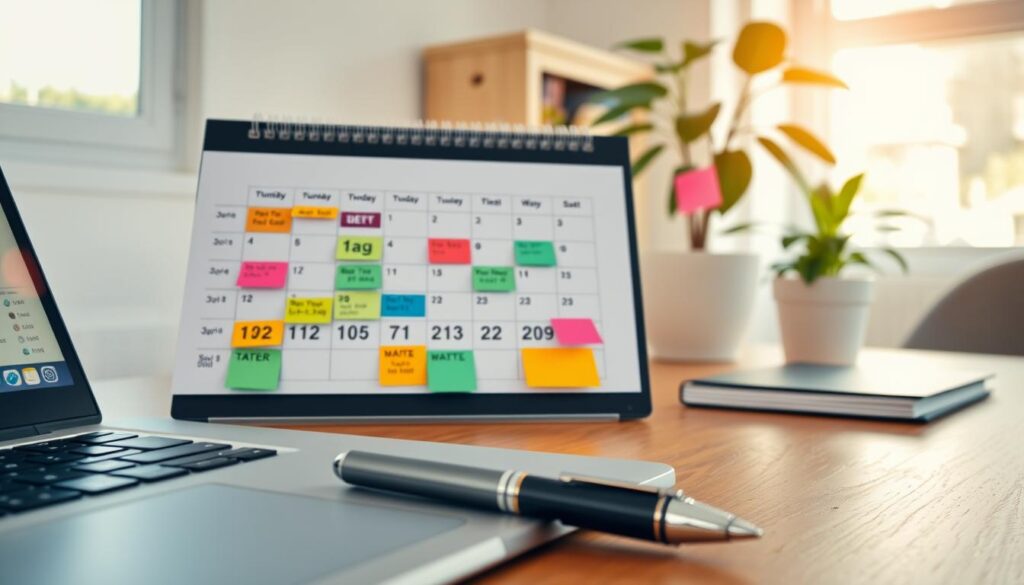
A clear financial calendar gives a quick view of money matters that matter most. It lines up paychecks, recurring bills, savings goals, and investment deadlines. This helps users plan transfers, avoid overdrafts, and keep monthly budgets real.
Understanding the Benefits of Organization
A structured calendar shows upcoming cash inflows and outflows all in one place. Seeing paycheck dates next to mortgage payments and brokerage deadlines helps decide when to save or pay extra on loans. A simple view cuts missed payments and improves monthly budgeting.
Reducing Financial Stress
Organized finances link to lower anxiety, according to studies. Tracking due dates and setting alerts in advance reduces surprises. A financial tracker that pings before bills are due saves time and lowers late fees risk.
Staying on Top of Important Dates
Track tax filing deadlines like quarterly estimated payments and rent or mortgage due dates. Remember utility renewals, insurance premiums, and credit card payments. Add employer benefits windows and student-loan schedules for full coverage.
Investors should include CPI and jobs reports from economic schedules. Also, add corporate earnings calendars to time major financial moves.
Practical tip: Color-code categories for easy scanning. Use one color for bills, another for taxes, one for income, one for investments, and one for economic events. This makes the calendar easy to read and turns a cluttered page into a usable plan.
Key Components of a Financial Calendar
A clear financial calendar helps people track money, meet deadlines, and plan for surprises. It pairs steady routines with occasional events. This helps households and small businesses stay prepared.
The layout below shows core items to add. It also explains how to keep entries useful over time.

Income and Expense Tracking
List income sources such as paychecks, side gigs, Social Security, and dividends. Record fixed expenses like rent, mortgage, and subscriptions. Add variable costs for groceries, gas, and entertainment.
Estimate variable amounts using past three-month averages. Mark irregular income dates when freelance checks or dividend payments arrive. Link payroll dates and dividend payment schedules to your calendar for clear cash flow.
Tax Due Dates
Include quarterly estimated tax dates in April, June, September, and January. Add the individual tax-filing deadline in April. Note extensions for filing and payment when applicable.
List state-specific deadlines for income and sales taxes. Add business deadlines for sole proprietors and corporations, like Form 941. Set reminders to collect W-2s, 1099s, and other tax documents early.
Bill Payment Schedule
Map recurring bills: rent or mortgage, utilities, phone, internet, subscriptions, loan payments, and credit cards. Record due dates, payment methods, autopay status, and grace periods.
Track billing cycles by noting statement and due dates. Add buffer days for manual payments. Flag high-priority bills to avoid late fees and credit impacts.
Investor Entries
For investors, add financial reporting dates and entries from the corporate earnings calendar for companies you own or follow. Include dividend ex-dividend dates and pay dates.
Cross-reference the stock market calendar for market holidays and key economic releases. This helps align trading plans with corporate news and earnings announcements.
| Component | What to Record | Timing | Tip |
|---|---|---|---|
| Income | Paychecks, freelance, dividends, rental | Payday or receipt date | Link payroll and dividend dates to entries |
| Expenses | Fixed and variable costs, subscriptions | Monthly or per billing cycle | Use averages for variable cost estimates |
| Taxes | Estimated payments, filing dates, state rules | Quarterly and annual | Set document-collection reminders (W-2, 1099) |
| Bills | Rent, utilities, loans, credit cards | Due date and statement date | Include grace periods and buffer days |
| Investing | Financial reporting dates, earnings, dividends | Quarterly or as announced | Follow corporate earnings calendar and stock market calendar |
How to Choose the Right Format for Your Calendar
Picking the right format shapes how well someone uses a financial calendar. The choice depends on daily habits and device use.
It also depends on how much detail you need. A clear format makes tracking bills, taxes, and investment dates easy and not overwhelming.
Digital vs. Paper Calendars
Digital calendars like Google Calendar, Apple Calendar, and Outlook sync across devices. They offer automated reminders.
They suit people who travel, use many devices, or want email and task manager integrations.
Paper planners and printable templates help memory and focus for tactile users. Writing by hand boosts retention and reduces screen fatigue.
Hybrid setups work well for many people. Use a paper monthly overview for planning and digital reminders for deadlines.
Calendar Apps for Financial Management
Calendar apps vary from basic schedulers to finance-first tools. Google Calendar and Apple Calendar cover basic scheduling.
Microsoft Outlook links email and calendar for bill confirmations and tax notices.
Budgeting apps like Mint, YNAB, and Quicken include reminders and transaction notes. They complement financial calendars well.
For market events and corporate reports, Yahoo Finance, Investing.com, and brokerages like Fidelity, Charles Schwab, and Robinhood offer stock market calendars and earnings lists.
An economic data release calendar can be added to digital calendars. It flags CPI, jobs reports, and Fed announcements.
Combining these feeds with personal due dates creates a single view of tasks and market events.
Customization Options
Useful customizations include color-coding categories and creating separate calendars for bills, taxes, and investments.
Setting default reminder lead times and recurring event templates save time for bills and tax estimates.
Attaching receipts, tax forms, or online statement links keeps records handy. Printing overviews helps with offline reviews and family talks.
Privacy and security matter when storing financial info in the cloud. Use strong passwords and two-factor authentication.
Review app permissions carefully before syncing sensitive documents.
Step-by-Step Guide to Creating Your Calendar
Building a clear financial calendar starts with collecting the right documents. Gather recent bank and credit-card statements, pay stubs, subscription and insurance invoices, loan amortization schedules, brokerage account statements, and last year’s tax return. Investors should add watchlist tickers, upcoming corporate earnings and dividend schedules from Nasdaq or Bloomberg.
This groundwork makes a financial event tracker accurate and useful.
Next, set up a monthly overview that maps recurring flows and deadlines. Mark fixed income dates, bill due dates, paycheck days, transfers to savings or investments, and statement closing dates. Create a weekly view for bill payments and a daily view for smaller tasks like reconciling accounts.
A consistent template keeps financial reporting dates visible at a glance.
Include important milestones that affect planning. Add tax deadlines and estimated-tax payment reminders, annual insurance renewal dates, mortgage escrow adjustments, and major anticipated expenses such as vacations or home repairs. Also, add economic events like Federal Reserve meetings, CPI releases, and jobs reports that may influence investment timing.
Set milestone reminders 30 to 90 days ahead for large commitments.
Follow a simple workflow to populate the calendar. First input recurring events, then add one-time or irregular items, and last set reminders and attach documents or links. This order speeds setup and reduces missed entries.
Use this compact table to guide setup priorities and sample entries. It pairs common items with where to find details and suggested lead times for reminders.
| Item | Source | Typical Date | Suggested Reminder |
|---|---|---|---|
| Paycheck | Employer pay stub | Biweekly or monthly | 1 day before |
| Credit card payment | Card statement | Monthly due date | 5 days before |
| Mortgage or rent | Loan statement / lease | Monthly | 7 days before |
| Investment contributions | Brokerage account | Recurring transfer date | 3 days before |
| Corporate earnings | Nasdaq / Bloomberg | Quarterly | 14 days before |
| Tax filing | IRS records / last year return | Annual | 60 days before |
| Insurance renewal | Policy invoice | Annual | 30 days before |
| Economic reports | Bureau of Labor Statistics / Fed | Monthly or scheduled | 7–30 days before |
Keeping the calendar updated preserves its value. A practical financial calendar and reliable tracker reduce surprises. They make planning easier around financial dates and economic events.
Monthly Planning: What to Include
A compact monthly plan helps keep bills paid on time and your goals on track.
Use a financial calendar to mark regular charges, savings moves, and checkpoints.
Place the image near the top to give a clear visual cue.
Regular payments and recurring charges
List rent or mortgage, utilities, phone, internet, streaming services, loan payments, and credit-card minimums.
Add transfer schedules for emergency funds or sinking funds.
Note billing cycle dates and due dates to avoid late fees.
Savings goals and investment deadlines
Block automatic transfers for emergency savings and retirement contributions like 401(k) payroll deferrals.
Mark IRA contribution deadlines and planned brokerage transfers.
Link major investment timings to corporate earnings and key economic events that affect your allocations.
Review and adjustments period
Set a monthly review, for example, the first weekend, to reconcile accounts and compare budgeted to actual spending.
Use that time to adjust next month’s plans and move money between accounts as needed.
Schedule a quarterly deep dive to update goals and revise tax or investment plans.
Do this considering new financial reports and shifts in the stock market calendar.
Tips for Maintaining Your Financial Calendar
Keeping a financial calendar current makes money management simpler. Regular upkeep prevents missed payments. It keeps the household or business aligned with cash flow.
The guidance below helps turn a static schedule into a living tool. This tool adapts to changing income, bills, and goals.
Regular Reviews and Updates
Perform a monthly reconciliation to confirm entries and balances. Verify payroll dates, subscription renewals, and brokerage statements against the calendar. Update amounts when paychecks, utility bills, or loan payments change.
Create a short checklist for each review: 1) verify incoming deposits, 2) confirm recurring charges, 3) remove events that no longer apply. Use that checklist at the start of each month. This keeps the financial event tracker accurate.
Setting Reminders for Important Dates
Use layered reminders to avoid last-minute rushes. Set alerts 30 days and 7 days before a major milestone. Also, set alerts 7 days and 1 day before routine bills.
Multiple touch points reduce late payments and missed deadlines. Mix notification types: calendar alerts, email notices, and smartphone push notifications. Use snooze or follow-up features to resurface tasks if action is delayed.
These habits integrate the economic events schedule into daily routines.
Involving Family in Financial Planning
Share relevant entries through Google Calendar or Apple Family Sharing so partners stay informed. Assign responsibilities for who pays bills and who watches investment alerts. Clear roles reduce confusion and duplicated effort.
Schedule monthly family check-ins tied to the calendar for budget reviews and goal tracking. Plan large purchases during these meetings. When sharing, limit exposure of account numbers.
Send secure links rather than full documents to protect sensitive details.
Tools and Resources for Financial Planning
Choosing the right mix of tools keeps a financial calendar accurate and useful. A well-maintained schedule of reporting dates reduces surprises. It also makes planning easier. The recommendations pair popular software with trusted websites and important books to build lasting habits.
Recommended Calendar Apps and Software
Google Calendar works on many devices and makes sharing events simple. It syncs with broker portals to import earnings and dividend reminders. Cost: free; learning curve: low; integrations: excellent.
Apple Calendar ties into iCloud for smooth syncing on iPhone and Mac. It supports alerts for recurring bills and integrates with Wallet and Reminders. Cost: free on Apple devices; learning curve: very low; integrations: Apple ecosystem focused.
Microsoft Outlook combines email and calendar features for business users. It handles invites and layered calendars well. Cost: included with Microsoft 365 subscriptions; learning curve: moderate; integrations: strong for Office users.
YNAB (You Need A Budget) focuses on budgeting with goals and reminders. It nudges users toward proactive planning. Cost: subscription; learning curve: moderate; integrations: limited but budget-focused.
Mint offers automatic tracking of accounts and bill reminders. It helps create a personal schedule for payment dates. Cost: free with ads; learning curve: low; integrations: broad account links.
Quicken provides deep finance tools, tax reports, and bill pay. It supports exportable records for a detailed financial calendar. Cost: paid tiers; learning curve: moderate; integrations: extensive for accounts and reports.
Broker platforms like Fidelity and Charles Schwab include earnings calendars, dividend schedules, and alerts. They provide direct feeds for corporate event dates. Cost: account-based; learning curve: low to moderate; integrations: tailored to trading and portfolio tracking.
Useful Websites for Financial Guidance
IRS.gov lists federal tax deadlines and guidance essential for any yearly financial calendar. Treasury.gov posts debt and auction dates affecting cash-flow planning.
FederalReserve.gov and the Bureau of Labor Statistics publish economic data calendars with FOMC meetings, CPI, and employment reports. These shape market moves and timing for investments.
Nasdaq, Yahoo Finance, and Investing.com maintain corporate earnings schedules and market event calendars. Use them to set reminders for quarterly reports and stock news.
The Consumer Financial Protection Bureau (CFPB) offers guidance on loans, credit, and rights. This helps create practical calendar entries for loan reviews or dispute timelines.
Books on Personal Finance Management
“The Total Money Makeover” by Dave Ramsey outlines a stepwise plan for budgeting and debt payoff. It fits into recurring calendar tasks and builds good habits.
“The Simple Path to Wealth” by JL Collins explains investing basics and allocation principles. Readers can turn target dates and rebalancing into scheduled events.
“Your Money or Your Life” by Vicki Robin and Joe Dominguez teaches tracking and values-driven planning. It shows which dates and reviews matter most to long-term goals.
Use a mix of calendar apps and trusted websites to build a reliable economic data calendar. Sync alerts for reporting dates, tax deadlines, and corporate events. This keeps the financial calendar current and useful.
Common Pitfalls to Avoid with Financial Calendars
Keeping a clear, usable schedule helps people avoid costly mistakes. A cluttered plan defeats a financial calendar’s purpose.
Missing updates creates gaps in cash-flow planning. These gaps can lead to overlooked financial reporting dates. Small habits prevent big problems.
Overcomplicating your schedule
Some users try to record every receipt and task inside a calendar. This approach turns the calendar into noise.
It’s better to mark key due dates and triggers. Use budgeting software or spreadsheets for transaction histories. A lean calendar stays simple and actionable.
Ignoring regular updates
When entries go stale, missed payments and outdated goals follow. Life changes like a new job or buying a house require edits immediately.
Regular reconciliation keeps a financial event tracker accurate. This makes planning more reliable.
Forgetting to celebrate wins
Recognition matters in behavior change. Mark milestones like paying off credit cards or reaching emergency-fund targets to reinforce good habits.
Scheduling small rewards in the calendar keeps momentum. It helps people stick to long-term plans.
Recovery steps after a lapse
- Set a 30-minute reset to list recurring bills and income.
- Update due dates and financial reporting dates immediately.
- Set reminders in the financial event tracker for upcoming deadlines.
- Schedule a follow-up review in one week to confirm accuracy.
How to Integrate Financial Goals into Your Calendar
Adding goals to a financial calendar makes plans actionable. It helps turn vague dreams into dated tasks. The calendar becomes a tool for pacing short-term wins and tracking long-term progress.
Short-term goals are clear, time-bound steps like building a $1,000 emergency fund or paying off a small credit card balance. These fit as tactical calendar entries.
Set recurring monthly transfers, list payoff dates, and add reminder alerts for transfer days.
Long-term goals target outcomes like retiring with a set nest egg or paying off a mortgage. Place strategic checkpoints in the calendar for annual net-worth reviews and milestones.
Combining tactical dates with strategic checkpoints keeps both short-term action and long-term vision visible.
Creating milestones breaks large goals into measurable targets with due dates. For example, mark every three months to check a $500 savings progress.
Another entry might increase a 401(k) contribution by 1% each payroll until the target allocation is met.
Use recurring milestones to track progress and set reassessment points. Add simple rewards to protect motivation. Calendar entries can link to budgeting apps to reflect real progress.
Revising goals needs scheduled review sessions. Set quarterly reviews for most personal goals and a yearly deep review for long-term plans.
During reviews, update timelines after income changes or shifts in market performance.
For investments, schedule dates around corporate earnings releases and key macro events. Add calendar entries that match stock market rhythms to prompt tactical reallocations.
These anchor points guide decisions about adjusting asset allocation when needed.
Keep goals realistic and time-bound. Use calendar links with budgeting tools to automate transfers and track saving progress. This reduces manual work and improves accuracy.
| Goal Type | Example | Calendar Entry | Review Frequency |
|---|---|---|---|
| Short-term | Build $1,000 emergency buffer | Monthly $250 transfer on 1st of each month | Quarterly |
| Debt Paydown | Pay off $1,200 credit-card balance | Biweekly extra payment aligned with payday | Monthly |
| Long-term | Retire with $1.2M nest egg | Annual net-worth review on Jan 15 | Annually |
| Investment | Adjust allocation after earnings reports | Entries tied to corporate earnings calendar and quarterly Fed events | Quarterly |
| Savings Habit | Save $500 every 3 months | Quarterly transfer reminders and progress check | Quarterly |
Celebrating Your Financial Achievements
Small wins keep momentum going. When a bill is paid early or a savings goal is met, make a brief note on your financial calendar or event tracker. These notes show your progress and build good habits.
Recording milestones takes just seconds but creates a pattern of steady success. Make reviews social and constructive by scheduling a semiannual or annual review with family or a partner. Mark it on the corporate earnings calendar or economic events schedule if investments will be discussed.
A simple agenda helps the meeting go smoothly. Confirm calendar accuracy, compare budgets, update goals, plan major expenses, and note tax or investment deadlines. Including a shared meal or small celebration keeps the mood positive and encourages continued involvement.
Use your calendar as a planning tool. Add dates for annual net-worth checks, retirement reviews, estate document updates, and meetings with a tax professional or financial advisor before deadlines. Keep a rolling 12-month view that includes corporate earnings and economic events to guide major decisions.
This forward look makes your financial calendar a strong strategic guide. Choose a calendar format today. Fill the first month following the guidance above and schedule your first monthly review session. This action links acknowledging progress with planning future financial success.